
Product or BidPack icon
On live cards, this tells you whether the auction is for a product or for a BidPack. Product auctions are for physical prizes. BidPack auctions are for bidding credits.
BidBid penny auctions use bidding credits, live timers, clear auction IDs, manual bids, and AutoBids so customers can follow each product from live bidding through to a won auction payment.
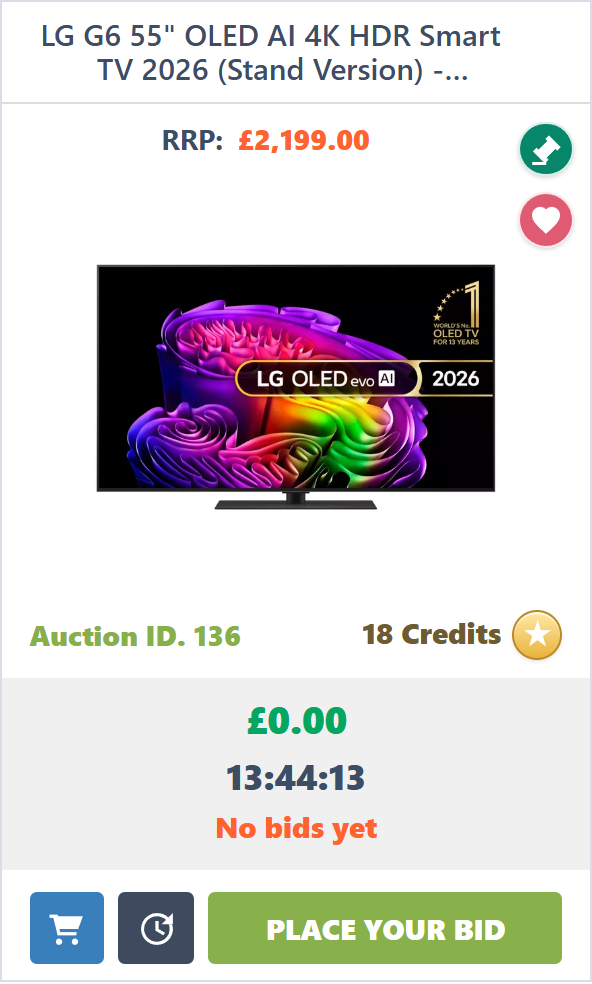
This guide uses the same card layout that appears on the home, live, upcoming, and closed auction pages.
On live cards, this tells you whether the auction is for a product or for a BidPack. Product auctions are for physical prizes. BidPack auctions are for bidding credits.
Some product cards show an amber ribbon when the item was marked as featured in the Product Library. Featured products are picked first when that auction run option is enabled.
On live cards, this saves the auction to your favourites. Your favourites count appears in the header so you can quickly return to saved products.
If the card says 1 Credit, each manual bid or AutoBid on that auction uses one bidding credit from your available balance. The tooltip on the real card also shows “Takes 1 Credit Per Bid”.
On live cards, this icon appears in the action row when Buy It Now is available. If the icon is greyed out, direct purchase is not currently available for that auction.
On live cards, this icon opens the auction where AutoBid can be set when AutoBid is enabled. AutoBid can place bids automatically within the limits you choose.
Live cards show the current price, countdown timer, and leading bidder. Upcoming cards show when they open, and ended cards show the final price and winner.
Pick a live auction, check the product image and auction ID, and review the current price, timer, and leading bidder.
Each manual bid or AutoBid uses credits, raises the auction price, and can reset the timer while bidding continues.
If you are the final bidder when the timer closes, the win appears in My Won Auctions with the amount due and payment link.
Your account records bids, wallet purchases, saved AutoBids, favourites, and won auctions so you can review what happened later.
Won product auctions show the winning price, shipping, total due, and payment action. BidPack wins can credit bidding credits after payment is confirmed.
Your dashboard brings together credits, recent bidding, AutoBids, wallet activity, won auctions, and saved favourites.
Open DashboardShare your invite link from your account. When your friend verifies their email, the referral is tracked as pending. If they complete their first paid BidPack purchase, you receive 50 bonus credits.
View Referral Link